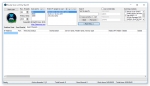
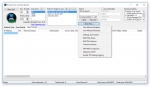
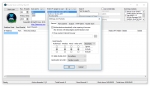
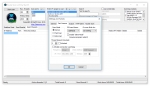
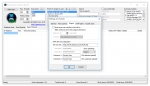
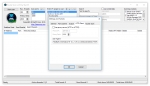
Router Scan - многофункциональная программа для обнаружения уязвимостей в роутерах.
Интуитивно понятный интерфейс программы.
Произведение сканирования в два клика.
Поддержка всех wi-fi стандартов.
While "juq123" does not appear to be a standard technical term or widely recognized brand, it has been associated in niche contexts with project commit logs or specific small-scale fixes create a piece
inspired by this theme, I’ve drafted a short creative reflection on the concept of a "fix"—the moment when a long-standing glitch finally settles into place. The Quiet Mechanics of Juq123 In the digital undergrowth, there is a ghost called
. It isn’t a virus or a monument; it is the name of a patch—a series of keystrokes that once held a collapsing system together. To "fix" is often seen as a return to the original state, but juq123 suggests something different: a transformation.
When you apply a fix, you aren't just erasing an error; you are layering new logic over the old. The piece is never truly finished; it is simply "fixed" for the moment, breathing until the next iteration. The Intent: Stabilizing the erratic. The Method: Precision over power. The Result: A seamless flow where there was once a stutter.
Whether you are fixing a line of code or a piece of art, the goal is the same: to make the hand of the creator invisible so the work can finally speak for itself. Could you clarify if refers to a specific software repository gaming glitch user handle you'd like me to focus on? Juq123 2021 Fixed juq123 fix
Third-party software is a sneaky juq123 trigger. A clean boot starts Windows with minimal drivers and startup programs.
How to:
msconfig, OK.If juq123 disappears, re-enable services one by one to find the culprit.
Once you have successfully applied the JUQ123 fix, you can take steps to prevent recurrence: While "juq123" does not appear to be a
cleanmgr.exe automatically.Event Viewer > Windows Logs > Application weekly for any warnings related to JUQ123.Fake error messages mimicking juq123 are common with adware. Use:
Quarantine any detected threats, then reboot.
The JUQ123 fix is not as daunting as it first appears. By following a systematic approach—starting with simple restarts and updates, then moving to temporary file cleanup, SFC scans, and finally registry edits—you can eliminate the error in under 30 minutes.
Remember that JUQ123 is typically a benign software reference issue. Do not panic; do not pay for expensive "tech support" pop-ups; simply work through the six methods outlined above. Press Win + R , type msconfig , OK
If you have tried all six methods and the JUQ123 fix still eludes you, consider performing a System Restore to a date before the error first appeared, or use the "Reset this PC" feature in Windows (keeping your personal files).
Final Pro Tip: Bookmark this guide. The next time a strange alphanumeric error appears—whether JUQ123 or something else—you will know exactly how to diagnose and fix it.
Have you successfully applied the JUQ123 fix using a different method? Let us know in the comments below. For more troubleshooting guides, subscribe to our newsletter.
It looks like "juq123 fix" might refer to a specific error code, software patch, or a community-driven fix (e.g., from GitHub, a forum, or a game/modding community). Since I don’t have specific context about where juq123 originates, I’ll draft a generic but useful troubleshooting guide that you can adapt depending on whether it’s a coding issue, system error, or game/mod problem.
Because juq123 appears to be a specific identifier:
juq123."juq123" fix.Благодаря вам определил бреж в безопасности!
Александр, Москва
Спасибо, удобная программа для взлома пароля!
Алексей, Москва
Router Scan - это многофункциональная программа для обнаружения уязвимостей в роутерах!